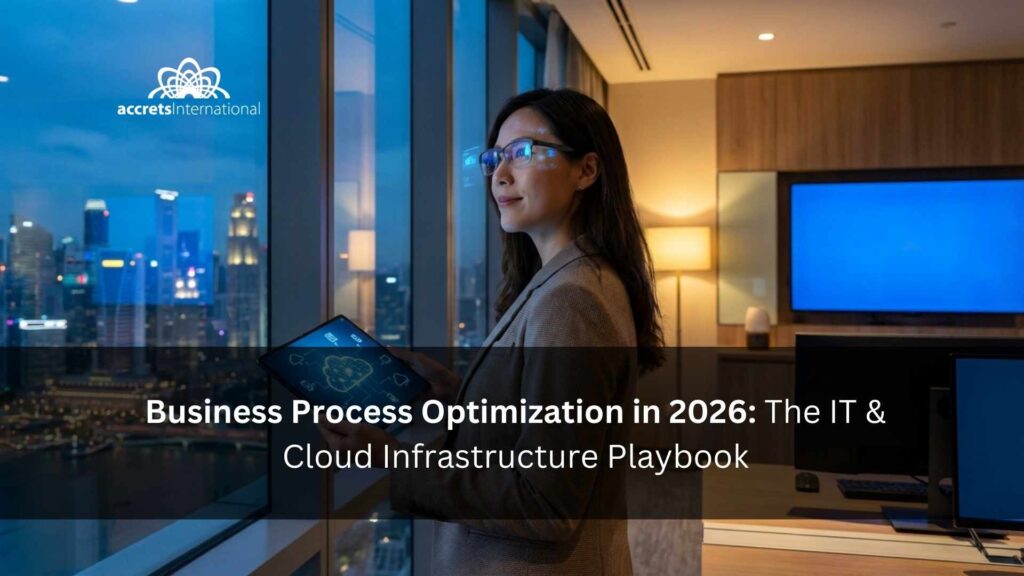

Business process optimization (BPO) is the strategic redesign of organizational workflows to eliminate inefficiencies, reduce operational costs, and improve system reliability. In modern environments, true optimization requires upgrading your underlying IT and cloud infrastructure to support automation, secure data access, and rapid disaster recovery. If your company is struggling with hidden technical bottlenecks, read on to discover the step by step methodology to modernize your operational foundation and scale your business efficiently.
TL;DR
- Business Process Optimization (BPO) fails when built on fragile, aging legacy technology.
- Escaping vendor lock-in (like VMware) and adopting open cloud standards are mandatory for long-term financial efficiency.
- A field-tested BPO methodology starts with a Business Impact Analysis and strict Recovery Time Objective (RTO) targets.
- Shifting to Infrastructure as a Service (IaaS) provides the agility to treat computing power as a flexible utility.
- Managed service providers allow internal teams to stop fixing servers and start driving core business innovation.
What is Business Process Optimization?
Business process optimization (BPO) is the practice of redesigning organizational workflows to eliminate inefficiencies, reduce operational costs, and improve system reliability. In modern IT environments, it focuses on automating manual tasks, securing cloud infrastructure, and ensuring rapid disaster recovery.
The reality is that you cannot optimize a modern business without first optimizing the technology that runs it. While high-level strategy meetings often focus on human capital or marketing pipelines, the true bottlenecks lie hidden in servers, outdated software contracts, and fragmented data centers. For global enterprises and ambitious mid-market firms operating out of hubs like Singapore, IT infrastructure is the actual battleground for efficiency.
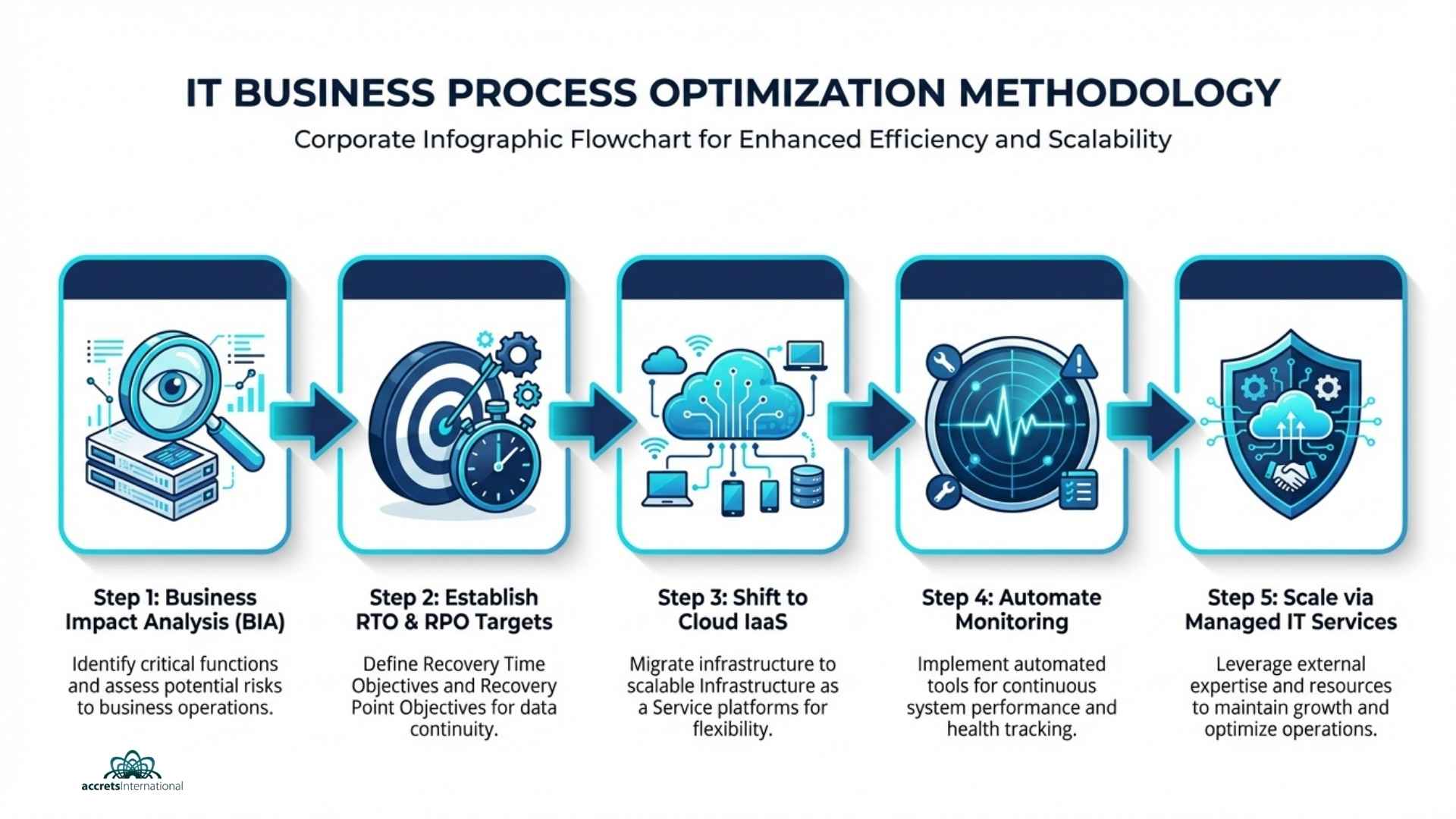
The Anatomy of Failure: Why 70% of IT Optimizations Fail in Q1
Organizations frequently launch massive optimization initiatives with high hopes, only to watch them stall within the first ninety days. The failure rarely stems from a lack of vision. It fails because decision-makers attempt to build next-generation workflows on top of fragile, aging technology.
If you want to understand why your operational costs remain stubbornly high despite continuous efficiency programs, you must look at the structural foundation.
Dependency Blindness in Legacy Systems
The most common trap is dependency blindness. An organization decides to speed up customer onboarding, only to realize that the new application relies on a database running on an on-premise server that is ten years old. You cannot bolt a high-performance engine onto a rusted chassis and expect to win a race.
Before introducing any new workflow, leaders must map their entire technical environment. Building a strong corporate IT infrastructure in Singapore or any major global hub requires a clear understanding of how legacy systems interact with modern cloud applications. Without this visibility, fixing one process often breaks three others.
The Vendor Lock-In Trap
Optimization means having the agility to choose the best tool for the job. Unfortunately, many IT departments find themselves paralyzed by restrictive vendor contracts. They want to scale up or shift workloads to more cost-effective environments, but their licensing agreements penalize them for moving.
A glaring example is the current landscape of virtualization software. When a single provider dictates your costs and restricts your architecture, true optimization is impossible. Forward-thinking IT leaders are actively looking to escape VMware lock-in and explore robust alternatives like OpenStack. Regaining control over your infrastructure stack is a mandatory step for long-term financial efficiency. You cannot optimize costs if you do not control them.
Treating Disaster Recovery as an Afterthought
Efficiency means nothing if it disappears the moment a server fails. A shocking number of businesses treat disaster recovery as a separate, isolated IT function rather than a core component of business process optimization.
When a critical system goes down, unoptimized recovery protocols lead to extended downtime, lost revenue, and damaged reputations. A truly optimized business process includes the exact steps required to restore it. You must integrate a formal IT disaster recovery plan template into your baseline operational strategy. If the process cannot survive a localized outage or a ransomware attack, it is not optimized; it is simply a liability waiting to happen.
A Field-Tested Methodology for IT Business Process Optimization
Theoretical optimization looks great on a whiteboard. Practical optimization requires getting your hands dirty in the data center. The following methodology focuses on stripping away technical bloat, fortifying your defenses, and aligning your IT spending directly with your business goals.
Step 1: Conduct a Ruthless Business Impact Analysis (BIA)
You cannot optimize everything at once. Attempting to do so results in organizational burnout and budget overruns. The first step is to categorize your business processes based on their absolute necessity to your daily operations and revenue generation.
This requires honest conversations between department heads and IT leadership. Which applications must stay online 24/7? Which can afford a few hours of downtime? By conducting thorough IT infrastructure capacity planning, you ensure that your most expensive computing resources are dedicated exclusively to your most critical workloads. Stop paying premium hosting fees for archive data and non-essential internal tools.
Step 2: Establish Realistic RTO and RPO Targets
Once you know which systems matter most, you must define exactly how quickly they need to recover from an incident.
- Recovery Time Objective (RTO): How long can the business survive without this specific application?
- Recovery Point Objective (RPO): How much data can you afford to lose before the financial impact becomes catastrophic?
Optimizing your backup protocols means matching your storage investments to these targets. There is no need for real-time replication of a system with a 48-hour RTO. Conversely, a transactional database requires immediate failover. A solid backup and disaster recovery plan ensures you are neither overspending on unnecessary redundancies nor exposing yourself to lethal data loss.
Step 3: Shift to Infrastructure as a Service (IaaS)
The days of buying physical servers, guessing your capacity needs for the next five years, and hoping for the best are over. Owning hardware is inherently inefficient. It degrades, it requires constant maintenance, and it cannot scale dynamically to meet sudden spikes in demand.
Transitioning to a cloud-based model allows you to treat computing power as a utility. You pay for exactly what you use, when you use it. The advantages of Infrastructure as a Service go far beyond basic cost savings. IaaS gives your team the agility to spin up new testing environments in minutes rather than weeks, dramatically accelerating your time-to-market for new products and internal tools.
Step 4: Automate Monitoring and Testing
Human error remains the leading cause of system outages and process failures. Relying on engineers to manually check server health or verify backup integrity is an outdated, high-risk strategy.
Optimization requires automation. You need systems that watch your systems. Implementing the best tools for IT infrastructure monitoring services allows you to detect anomalies, predict hardware failures, and identify network bottlenecks before they impact the end-user. Furthermore, automated testing of your recovery protocols guarantees that when an emergency strikes, your playbooks actually work.
Scaling Optimization: Managed Services vs. In-House Teams
Reaching a baseline level of optimization is an achievement. Maintaining and scaling that efficiency across multiple years is a completely different challenge. Many companies hit a ceiling because they simply do not have the internal human resources required to manage a complex, multi-cloud environment while simultaneously pushing strategic business initiatives.
The Hidden Costs of Doing It Yourself
Building a world-class IT team is expensive, time-consuming, and incredibly difficult to maintain. When you force a small internal team to handle day-to-day helpdesk tickets, manage cloud security, patch servers, and run disaster recovery drills, burnout is inevitable.
The hidden cost of the do-it-yourself approach is a complete halt in innovation. Your best engineers spend 100% of their time keeping the lights on instead of building the new processes that will drive your company forward. Compliance risks also skyrocket when an overstretched team misses a critical security patch or fails to update a firewall rule.
Why Partnering with a Managed Cloud Provider Makes Sense
The most efficient companies understand the difference between core competencies and necessary utilities. If your business is finance, logistics, or healthcare, managing server racks is not your core competency.
This is where the distinction between managed vs cloud services becomes vital. A standard cloud provider just rents you space on a server. A managed service provider actively takes ownership of the architecture, security, and optimization of that environment.
Partnering with an expert team grants you immediate access to enterprise-grade resources. For instance, rather than trying to build your own resilient facility, you can instantly host your critical workloads in a highly secure environment that meets strict Tier 3 data center definitions. By utilizing professional managed IT services, you offload the heavy lifting of infrastructure management. This single optimization frees up your internal talent to focus entirely on activities that generate revenue.
Next Steps for Your IT Strategy
Business process optimization is not a one-time project; it is a permanent operational standard. The systems you rely on today will evolve, the threats you face will adapt, and your infrastructure must remain flexible enough to handle the changes.
Stop letting legacy technology dictate your business speed. The path to real efficiency starts with a hard audit of your current IT capabilities, identifying where you are bleeding resources, and migrating to an architecture designed for agility and resilience.
Ready to eliminate infrastructure bottlenecks and protect your critical data? Fill the form below for a free consultation with an Accrets Cloud Expert for Business Process Optimization: https://www.accrets.com/contact-us/

Dandy Pradana is an Digital Marketer and tech enthusiast focused on driving digital growth through smart infrastructure and automation. Aligned with Accrets’ mission, he bridges marketing strategy and cloud technology to help businesses scale securely and efficiently.