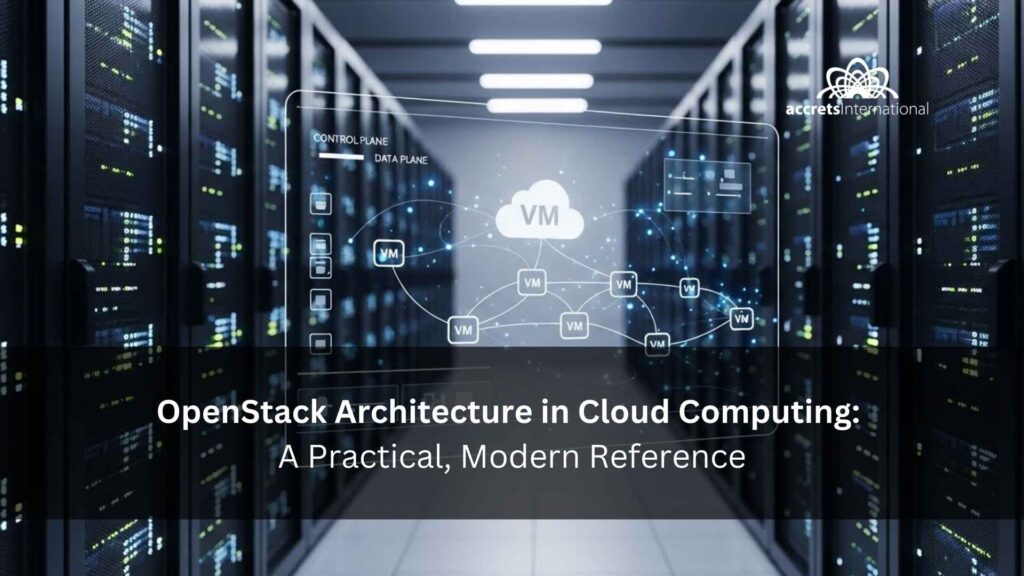

OpenStack architecture in cloud computing is the blueprint of how OpenStack’s control plane services (identity, scheduling, networking, storage APIs) coordinate the data plane (hypervisors, network forwarding, storage backends) to deliver IaaS.
In this guide, you will see the reference architecture, the core components, and three real request flows (VM launch, tenant networking, volumes and images) plus the design decisions that make deployments reliable. Let’s walk through it together and make the architecture feel obvious by the end.
What OpenStack Is (In Cloud Computing Terms): Control Plane vs Data Plane
In cloud computing, OpenStack is an Infrastructure-as-a-Service (IaaS) platform: it exposes APIs for compute, networking, and storage so you can deliver a self-service private cloud (or a hybrid design) with policy, quotas, and multi-tenancy.
If you want a quick refresher on why IaaS is still the foundation layer for many enterprise cloud strategies, see this explainer on the advantages of Infrastructure as a Service, and how it compares to higher layers in the difference between PaaS and Infrastructure as a Service.
Architecturally, OpenStack is easiest to understand as two big halves:
- Control plane: APIs, identity, scheduling, policy, orchestration, everything that decides what should happen
- Data plane: hypervisors actually running VMs, network forwarding, and storage I/O, everything that makes the workload actually happen
If you remember only one thing: OpenStack’s power comes from how the control plane coordinates work across many agents and backends in the data plane.
The OpenStack Reference Architecture (Conceptual View)
Here’s a simple four-layer mental model you can use to explain OpenStack to anyone, from IT leadership to your network team.
- Physical layer
Servers, NICs, switches, storage arrays (or SDS like Ceph), plus power, cooling, and racks. - Virtualization layer
Hypervisor (often KVM), virtual switching, and host networking. This is where the data plane executes. - Control plane services
API endpoints plus databases plus message bus plus schedulers plus controllers that coordinate. - Data plane agents and backends
Compute services on each host, network agents, storage backends, and the physical network and storage they operate on.
Diagram callout (include in final article): Build a single-page reference diagram with: User/API → Keystone → Nova/Neutron/Cinder/Glance → Message Queue/DB → Agents on compute and network nodes → Backends (hypervisor, SDN, storage). This diagram becomes your map so readers can place every flow and decision you explain.
Core Components and What They Do
OpenStack has many projects, but most architectures revolve around a consistent core.
Identity and access: Keystone
- Authenticates users and services and issues tokens
- Publishes the service catalog (where Nova and Neutron endpoints live)
Compute and resource placement: Nova plus Placement
- Nova manages the VM lifecycle: boot, stop, migrate, resize
- Placement tracks resource inventory and supports scheduling decisions
Networking: Neutron
- Creates tenant networks, subnets, routers, security groups, floating IPs
- Delegates execution to agents and backends (for example L2 and L3, DHCP, metadata, or an OVN-driven model depending on design)
Storage and images: Cinder plus Glance (Swift optional)
- Cinder: block storage volumes (attach and detach to VMs)
- Glance: VM images (boot sources)
- Swift (optional): object storage for unstructured data, backups, artifacts
UI and orchestration (optional but common)
- Horizon for human administration
- Heat for OpenStack-native orchestration templates (many teams also use Terraform or Ansible)
If you’re specifically designing a private cloud footprint, this guide to OpenStack private cloud complements this article as an operating model view.
Node Roles and Real-World Topologies
When people say OpenStack is complicated, they often mean: I understand the services, but how do I place them on real machines?
A practical deployment uses these roles:
- Controller nodes: host API services, schedulers, identity, and often the database and message queue (clustered in production)
- Compute nodes: run the hypervisor and VM workloads
- Network nodes (sometimes separate): host routing, NAT, or L3 services depending on Neutron design
- Storage nodes (optional): if using a distributed storage backend
Single-AZ vs multi-AZ
- Single AZ: simplest, good for small and mid-size private clouds
- Multi-AZ or multi-site: stronger fault isolation but higher network, storage, and operational complexity
A good architecture starts with capacity and failure-domain clarity. If you’re planning growth or consolidation, tie this back to IT infrastructure capacity planning because OpenStack scales when you design around real limits: compute oversubscription, network throughput, storage IOPS, and control plane bottlenecks.
Request Flow #1: What Happens When You Launch a VM (Step-by-Step Trace)
This is the flow that reveals whether an OpenStack architecture is designed well.
VM launch sequence
- User authenticates
The user (or automation) requests a token from Keystone. - User calls Nova API
Nova receives a boot instance request with flavor, image, network, and optional volume requirements. - Scheduling and placement
Nova consults Placement and its own scheduling logic to pick a suitable compute host. - Control plane coordination via message bus
Nova uses the message bus and DB coordination so the right compute service receives the request. - Compute node spawns the instance
On the compute node, the hypervisor is instructed to create the VM and allocate CPU, RAM, and disk. - Networking is wired
Neutron ensures the VM gets ports, security groups, DHCP and metadata access, and routing. - Optional storage is attached
If boot-from-volume or extra volumes are requested, Cinder attaches block volumes to the VM.
VM launch request trace table
| Step | Service/API touchpoint | Common dependency | Agent/data plane action | Outcome |
| 1 | Keystone | Identity backend | None | Token issued |
| 2 | Nova API | DB | None | Instance request created |
| 3 | Nova Scheduler plus Placement | Placement DB | None | Compute host selected |
| 4 | Nova Conductor or MQ | Message queue plus DB | None | Instruction dispatched |
| 5 | Nova Compute (on host) | Hypervisor plus local resources | Compute service spawns VM | VM created |
| 6 | Neutron | Neutron DB or MQ | L2 or L3 or DHCP or metadata agents apply config | Ports, IP, routes, security groups applied |
| 7 | Cinder (optional) | Cinder DB or MQ | Storage backend maps volume | Volume attached |
What architects should notice:
- Control plane dependencies (DB and message bus) are critical. If you don’t design them for HA, you don’t have a resilient cloud.
- Networking is not a checkbox. It is a system of policy plus agents plus physical design.
Request Flow #2: Creating a Tenant Network (and Why Neutron Design Choices Matter)
Tenant networking is where OpenStack architecture becomes very real.
Tenant network creation sequence
- User requests a network and subnet (Neutron API)
- Neutron records intent and allocates resources (DB)
- Neutron triggers the backend and agents
- DHCP and metadata are prepared so instances can boot cleanly
- If routers or floating IPs are involved, routing and NAT rules are applied
Tenant networking request trace table
| Step | Service/API touchpoint | Common dependency | Agent/data plane action | Outcome |
| 1 | Neutron API | Neutron DB | None | Network/subnet/router intent recorded |
| 2 | Neutron plugin/backend | MQ plus DB | None | Backend workflow selected |
| 3 | L2 mechanism | None | L2 config applied (bridges/ports/overlays) | Tenant network created |
| 4 | DHCP/metadata | None | DHCP namespaces plus metadata path prepared | Instances can get IP and metadata |
| 5 | L3/routing (if used) | None | Routing and NAT policies enforced | North-south connectivity works |
Why Neutron design choices matter
Two architectures can both work, but behave very differently under load, during failures, or when you add hybrid connectivity.
- Performance: east-west traffic depends on how switching and overlays are implemented
- Operability: troubleshooting becomes easier when your backend model is consistent and well-instrumented
- Security: security groups and segmentation must align with how your network is built
If your OpenStack needs to connect cleanly to other environments (public cloud, branch sites, regional systems), it helps to think in hybrid patterns early. This guide to hybrid cloud providers in Singapore is framed for a specific market, but the architectural lessons generalize well: connectivity design, latency expectations, and compliance-driven placement. For broader platform-to-platform alignment, you may also find value in understanding the interoperability of inter-cloud services across different platforms.
Request Flow #3: Volumes and Images
Storage flows are where user experience meets architecture reality: boot speed, attach reliability, performance, and recovery.
Volume attach sequence
- User creates a volume (Cinder API)
- Storage backend allocates the block device
- User attaches volume to a server
- Compute host maps the device and the VM sees it as a disk
Image-to-boot path
- User selects an image (Glance)
- Nova requests the image and prepares boot artifacts
- The compute host retrieves and caches the image as needed
- VM boots from the image (or from a volume created from an image)
Storage request trace table
| Step | Service/API touchpoint | Common dependency | Agent/data plane action | Outcome |
| 1 | Cinder API (create volume) | Cinder DB or MQ | Backend allocates block storage | Volume exists |
| 2 | Glance API (select image) | Glance DB | Image served to Nova/compute | Image available |
| 3 | Nova plus Cinder (attach) | MQ plus DB | Host maps volume to VM | Disk attached |
| 4 | Data plane I/O | Storage backend | Reads and writes occur | Workload runs |
If your audience mixes “cloud storage” and “cloud computing” terms, a quick clarifier reduces confusion: cloud computing and cloud storage are not the same thing, and OpenStack touches both (compute lifecycle and persistent data).
Architecture Decision Points: The Design It Right Section
This is the part many blog posts skip, yet it’s what practitioners actually need.
Minimum viable HA (high availability)
A resilient OpenStack architecture typically includes:
- Multiple controller nodes to avoid single points of failure
- Clustered database because almost everything depends on state
- Resilient message queue because service coordination depends on it
- Load balancing for API endpoints
- Operational discipline: backups, upgrades, monitoring
Networking backend choices
Your Neutron backend choice affects:
- Day-2 ops (troubleshooting, upgrades)
- Feature availability (routing, security behavior)
- Performance at scale
Storage backend choices
Pick based on workload patterns:
- VM-heavy transactional workloads: prioritize IOPS consistency and recovery
- Large unstructured data: object storage patterns
- Backup and DR expectations: define RPO and RTO early
Automation is not optional
OpenStack rewards teams who treat infrastructure as software. If you’re aligning your platform build with repeatable operations, it helps to revisit Infrastructure as Code vs Infrastructure as a Service so the build becomes reproducible and upgradeable, not a one-time configuration.
Because architecture is inseparable from controls, plan security into the design early (identity flows, network segmentation, secrets management, auditability). If you want a structured approach, this overview of cloud security consulting services in Southeast Asia includes frameworks that translate well globally.
OpenStack vs VMware (Why This Comes Up So Often in “)
Many teams don’t choose OpenStack from scratch. They arrive here because they’re reassessing virtualization strategy, cost structures, or lock-in risk.
At a high level:
- VMware is a tightly integrated virtualization ecosystem
- OpenStack is a service-oriented control plane that can orchestrate a virtualized private cloud across many nodes and backends
If you’re exploring options broadly, the comparison set often starts with VMware alternatives. And if storage migration is part of your migration story, this guide on VMware storage migration helps you think through data movement implications without treating storage as an afterthought.
Singapore-Based, Global-Ready Implementation Notes
Even for a global audience, a Singapore-based delivery lens can be valuable because it forces clarity around real-world constraints: compliance, latency, data residency, and regional availability.
For teams operating across Southeast Asia, workload placement and data center tier decisions can matter more than people expect. This is where guidance like when U.S. companies should choose Singapore-based Tier 2 data centers in Southeast Asia can be used as a thought model: define decision criteria, then validate against your own constraints.
If you’re prototyping quickly, the pilot environment question comes up fast. This field guide on Singapore cloud VPS speed, cost, and compliance is a useful template for evaluating early-stage environments without locking yourself into poor architecture later.
How Accrets Helps
If you’ve read this far, you’re likely in one of these positions:
- You’re designing a private cloud and want a reference architecture validated
- You’re planning a migration from a virtualization stack and need a realistic path
- You want OpenStack but don’t want the operational risk of learning in production
Accrets supports OpenStack journeys end-to-end, from architecture and implementation to modernization and managed operations. If your driver is a VMware exit strategy, you might start with a focused migration route like escaping VMware lock-in with an Accrets OpenStack migration approach. If your priority is steady day-2 operations (monitoring, patching, reliability, cost control), consider what a managed cloud service provider operating model looks like for your environment.
Get a Reference Architecture Review
If you want a second set of expert eyes on your design, whether it’s HA, networking backend choices, storage architecture, or a migration plan, fill the form below for free consultation with Accrets Cloud Expert for openstack architecture in cloud computing through the Accrets contact page.

Dandy Pradana is an Digital Marketer and tech enthusiast focused on driving digital growth through smart infrastructure and automation. Aligned with Accrets’ mission, he bridges marketing strategy and cloud technology to help businesses scale securely and efficiently.