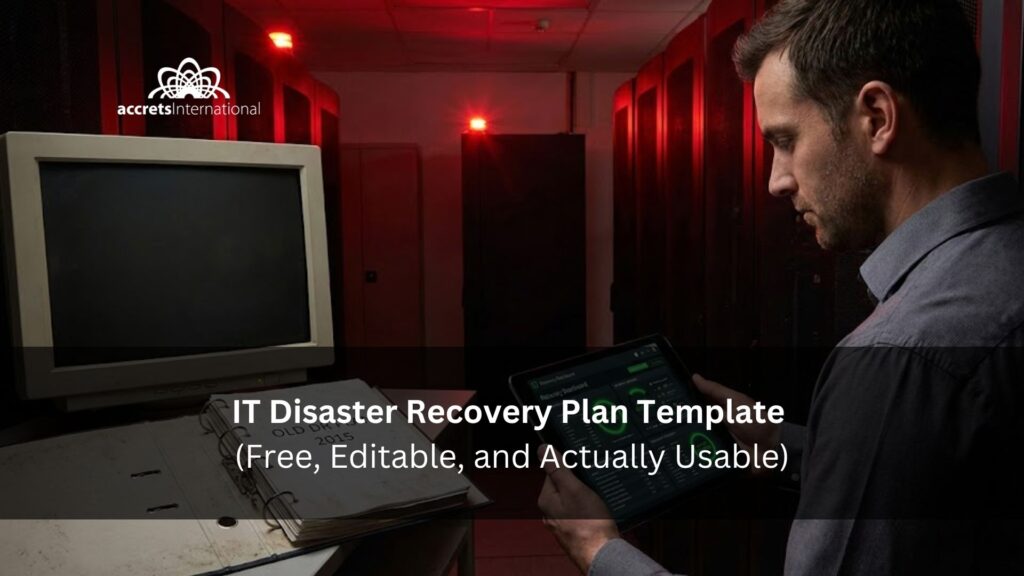

If you’re searching for an IT disaster recovery plan template, you probably want one thing: a plan you can fill out quickly and run under pressure. Not a theoretical document. Not a generic PDF that looks great until you’re trying to restore production at 3AM.
This guide gives you a practical, copy/paste template pack you can adapt for enterprise environments or a single critical system. You’ll also get a filled example (so you’re not staring at blanks), plus a testing and restore validation checklist because backups don’t matter if restores don’t work.
Summary for “IT disaster recovery plan template” (read this first, then let’s build it properly)
Here’s the short answer: you’ll get a ready-to-use IT disaster recovery plan template you can copy into a document today, including RTO/RPO fields, a dependency map, a call tree with alternates, step-by-step recovery runbooks, and a testing checklist to prove restores work. If you want a DR plan that’s usable in the real world and not just a form to file away, read on and we’ll build a version you can actually execute.
TL;DR
- Use the template below to document scope, roles, call tree, systems, dependencies, recovery steps, and validation checks.
- Define RTO and RPO before you pick a recovery strategy.
- Add dependency mapping (identity, DNS, certificates, networks, cloud accounts) or your plan will fail in practice.
- Schedule testing now; an untested DR plan is just a document.
- If your environment is hybrid or regulated, consider expert review to validate your recovery targets and prove restores.
What this template includes (and why most templates fail in real incidents)
Most DR templates fail because they’re missing the details people actually need during a disruption:
- No dependency mapping (identity, DNS, certificates, network, cloud accounts)
- No authority to declare or escalation triggers
- No RTO/RPO reality checks
- No restore validation (restore is not the same as recover)
- No testing evidence (when was this last proven?)
This template pack includes:
- Enterprise IT Disaster Recovery Plan Template (governance + full scope)
- Single-System DR Runbook Template (one app/service at a time)
- RTO/RPO Worksheet + Dependency Map (simple table you can expand)
- RACI + Call Tree + Escalation Matrix (with alternates)
- DR Test Report Template + Restore Validation Checklist
- Post-Incident Review (PIR) Template (so every disruption strengthens the plan)
For broader context on where these specifics fit within the larger organizational picture, consult our comprehensive guide to business continuity planning and disaster recovery (BCP/DR).
Quick-start: Fill this out in 30 minutes (minimum viable DR plan)
If you only have half an hour, you can still build a DR plan that’s meaningfully better than “we’ll figure it out later.”
- Step 1: List your top 5 critical services.
Think identity/login, email/collaboration, your revenue app, customer support tooling, and core data storage. - Step 2: Assign recovery tiers and rough RTO/RPO.
Do not overthink it on day one. You can refine after the first test. - Step 3: Assign roles + alternates (and decide who can declare a disaster).
If only one person can declare a disaster, you have created a single point of failure. - Step 4: Map dependencies.
Most “application outages” are actually dependency outages: identity, DNS, certificates, networking, or a third-party integration. - Step 5: Confirm restore validation steps.
A “successful restore” means users can authenticate, workflows run, data is correct, and monitoring is functioning. - Step 6: Schedule a tabletop test date.
If it is not tested, it is not a plan. It is a document.
When teams ask why their DR targets keep slipping, the answer is often capacity and operational reality, which is why it helps to align recovery targets with fundamentals from our guide to IT infrastructure capacity planning.
Before you use any template: define your RTO, RPO, and recovery tiers
Two terms show up in every DR conversation, often misused:
- RTO (Recovery Time Objective): how quickly the service must be back online.
- RPO (Recovery Point Objective): how much data loss is acceptable (time-based).
A simple recovery tier model:
- Tier 0 (Foundational): identity, DNS, networking, backup systems (often required to recover anything else).
- Tier 1 (Mission critical): revenue systems, customer-facing apps, core databases.
- Tier 2 (Business important): internal productivity and reporting tools.
- Tier 3 (Deferred): non-critical systems.
If your stakeholders want to understand DR tradeoffs through a Singapore hub (compliance, latency, and operating model), point them to our backup and disaster recovery guide for teams evaluating cloud providers in Singapore.
The IT Disaster Recovery Plan Template (copy/paste + annotated)
1) Document control & scope
Template fields
- Plan title:
- System(s)/environment covered:
- Plan owner (role, not person):
- Approver (role):
- Last updated (date):
- Last tested (date):
- Next test scheduled (date):
- Version / revision history:
Scope
- In scope: (apps, infra, cloud accounts, data stores, regions/sites)
- Out of scope: (explicit exclusions)
- Assumptions: (example: primary site unavailable, ransomware suspected, vendor outage)
How to fill this: Keep it explicit. A plan that tries to cover everything often covers nothing during an incident.
2) Roles, RACI, call tree, and authority to declare
2.1 Authority to declare a disaster
- Disaster declaration authority role(s):
- Declaration triggers (examples):
- outage longer than X minutes for Tier 0/Tier 1
- confirmed ransomware indicators
- data center or cloud region outage
- loss of admin access to critical SaaS
2.2 RACI (Responsible / Accountable / Consulted / Informed)
- Incident Commander (Accountable):
- DR Lead (Responsible):
- Infrastructure Lead:
- Application Lead:
- Security Lead:
- Vendor/Cloud Liaison:
- Communications Lead:
- Business Owner Representative:
2.3 Call tree (include alternates)
| Role | Primary Contact | Alternate | After-hours method | Escalation time |
| Incident Commander | ||||
| DR Lead | ||||
| Security |
How to fill this: Always include alternates. Disasters love vacations and time zones.
If your organization relies on external partners or a blended model, it helps to align the call tree to your operating reality, using our field guide to business IT support in Singapore as a practical reference for global teams coordinating through an SG hub.
3) System inventory + dependency mapping (the part most templates skip)
Create a single table that ranks recovery order and exposes hidden blockers.
| System / Service | Tier | Owner (role) | RTO | RPO | Dependencies (identity/DNS/network/certs/data/SaaS) | Recovery method |
How to fill this: Do not just list systems. List what they need to function. Identity and DNS often become Tier 0 even if the business does not think about them daily.
If your infrastructure is split between on-prem and cloud, dependency mapping gets harder and more important, so you may want to reference our guide on hybrid cloud providers in Singapore for US-based teams as a framing tool.
4) Recovery strategy (choose your playbook)
Template choices (select what applies)
- Restore from backups (most common)
- Failover to secondary site/region (warm/hot standby)
- Rebuild from infrastructure-as-code (IaC)
- SaaS recovery (tenant configuration + identity + access restoration)
- Vendor managed recovery (DRaaS / managed backup)
How to fill this: Choose the recovery strategy that matches your RTO/RPO and architecture, not the one that sounds best in a slide deck.
If your plan needs to explain where “infrastructure responsibility” begins and ends, cite our explanation of the difference between platform and infrastructure as a service, and pair it with our comparison of infrastructure-as-code vs infrastructure-as-a-service to clarify rebuild approaches.
5) Step-by-step recovery runbook (the 3AM checklist)
This is where most DR plans become either useful or useless.
5.1 Detection & triage
- Incident detected by: monitoring, user report, vendor alert
- Current impact: who/what is affected
- Initial containment steps taken:
5.2 Containment (especially for suspected cyber incidents)
- Is ransomware suspected? Yes/No
- If yes: isolate affected systems, preserve logs, disable compromised credentials, notify security lead.
5.3 Recovery steps (write this as a checklist)
- Confirm access to: admin accounts, backup consoles, cloud consoles
- Validate backup integrity and last known good restore point
- Restore system/data (method):
- Rebuild infra components (if needed):
- Reconfigure networking/DNS/certificates:
- Restore application configuration and secrets:
- Bring service online (limited users first if possible):
5.4 Validation checklist (restore is not the same as recover)
- Users can authenticate (SSO/identity works)
- Core workflows execute end-to-end
- Data integrity checks pass (spot checks + automated validation)
- Monitoring/alerts restored and functioning
- Performance baseline acceptable under expected load
- Security checks complete (malware scans, integrity checks)
5.5 Reconstitution
- Return to normal operations
- Remove temporary access grants
- Confirm backups resume and are valid
- Communicate resolution and next steps
If your DR plan must stand up to modern threats and multi-cloud realities, it helps to shape your security assumptions using our Singapore-first multicloud infrastructure security playbook, and reinforce controls using our overview of cloud security consulting services in Southeast Asia.
6) Testing, evidence, and continuous improvement
Testing schedule
- Tabletop test cadence: example quarterly
- Partial restore test cadence: example monthly for Tier 0/1
- Full recovery test cadence: example annually or after major change
DR test report (template fields)
- Test date:
- Systems covered:
- Scenario: (cloud outage/ransomware/data corruption)
- What worked:
- What failed:
- Time to restore:
- Validation results:
- Remediation actions + owners + deadlines:
How to fill this: Testing is not a checkbox. It is your proof that the plan is real.
To help teams avoid “backup success, recovery failure,” reference our guide on backup and disaster recovery that actually restores when setting validation standards.
Filled example (so you can see what “good” looks like)
Company: Global SaaS firm with a Singapore operations hub
Critical services:
- Tier 0: Identity (SSO/IdP), DNS, VPN/network access
- Tier 1: Customer app + primary database
- Tier 2: Internal BI/reporting
Sample targets
- Identity (Tier 0): RTO 2 hours, RPO 15 minutes
- Customer app (Tier 1): RTO 6 hours, RPO 1 hour
- BI/reporting (Tier 2): RTO 72 hours, RPO 24 hours
Call tree example
- DR Lead: On-call rotation (primary + alternate), escalation after 15 minutes if no response
- Security lead consulted immediately if ransomware suspected
Validation example
- Three-user test: admin, standard user, and service account run core workflow end-to-end and confirm logs/alerts trigger correctly.
Deployment realities: on-prem, cloud, hybrid, and data center tier considerations
Your DR plan must match where your workloads actually run.
- On-prem: hardware, storage, and network recovery are central (and procurement timelines matter).
- Cloud: identity, permissions, architecture patterns, and region strategy matter.
- Hybrid: you inherit complexity from both sides and dependencies become the real risk.
When leadership asks about facility resiliency assumptions, ground the discussion by explaining the requirements of a Tier 3 data center, and contrasting it with the strict standards of a Tier 4 data center.
If your stakeholders are asking “why Singapore” for Southeast Asia operations and recovery, our analysis of when US companies should choose Singapore data centers in SEA helps frame the decision.
And if you are balancing speed, cost, and compliance across regions, you may find our field guide to Singapore cloud VPS tradeoffs useful for buyer-level comparisons.
Optional add-ons (recommended): ransomware, SaaS lockouts, and clean recovery
If you want this plan to survive modern incidents, add short appendices.
- Ransomware addendum
- Immutable backups or isolated recovery environment
- Credential reset sequence
- Clean restore criteria (what must be verified before reintroducing systems)
- SaaS lockout addendum
- Tenant admin recovery steps
- Identity provider fallback access
- Vendor escalation paths
- Vendor and connectivity outages
- ISP/DNS provider outage playbook
- Cloud-region disruption playbook
- Third-party integration failures
If teams struggle with responsibility boundaries, it helps to clarify whether you need managed services, cloud services, or a blend; our breakdown of managed vs cloud services and which you need is a useful lens.
When you should get expert help (and what “good” looks like)
You might be able to draft a DR plan internally, but there are situations where expert review saves you from painful surprises.
- You operate regulated workloads or must meet audit requirements
- You have hybrid and multi-cloud complexity
- Your RTO/RPO targets are aggressive
- You have not tested a full restore recently
- Your dependency map is incomplete or constantly changing
A good DR partner helps you validate assumptions, build a runnable runbook, prove recovery with testing evidence, and strengthen security and operational resilience over time.If you want to operationalize this rather than maintain it ad hoc, explore how we structure IT DR as a Service and managed backup services for ongoing readiness.
Get the IT Disaster Recovery Plan Template
- Editable DRP document + DRP workbook (BIA, RTO/RPO, runbooks)
- All-hazards coverage + aligned to ISO 22301 / NIST / COBIT concepts
- Includes a filled example so you can move faster
Free consultation: have an Accrets Cloud Expert review your DR plan
If you would like a second set of eyes on your DR plan, or want help turning this template into a tested, auditable runbook, fill out the form for a free consultation with an Accrets Cloud Expert at our contact page.

Dandy Pradana is an Digital Marketer and tech enthusiast focused on driving digital growth through smart infrastructure and automation. Aligned with Accrets’ mission, he bridges marketing strategy and cloud technology to help businesses scale securely and efficiently.