
Server migration to the cloud involves safely transferring on-premise infrastructure, applications, and data to a cloud environment. For enterprises, a successful transition requires moving beyond self-service platform tools and adopting a fully managed migration lifecycle. This approach shifts the heavy burden of architecture assessment, dependency mapping, and final cutover to expert partners who guarantee the final outcome.
TL;DR:
- Self-managed migrations often go over budget due to poor dependency mapping and internal resource strain.
- The three main migration approaches are Rehost, Replatform, and Re-architect, and choosing the right one dictates your project’s success.
- P2V (Physical-to-Virtual) migration is often the safest first step for legacy data center systems.
- A true managed methodology includes an architecture assessment, dependency mapping, a parallel run, a secure cutover, and post-migration operations.
- The most critical phase is post-migration managed operations, which ensures your new cloud environment remains optimized, patched, and secure.
To ensure a successful server migration to the cloud, enterprises must move beyond self-service platform tools and adopt a Fully Managed Migration Lifecycle. This approach guarantees business continuity by shifting the burden of assessment, dependency mapping, secure cutover, and post-migration operations from the internal IT team to a managed service partner who owns the SLA and the final outcome.
If you search for guides on server migration, the top results will almost exclusively be written by the major hyperscalers like AWS, Azure, and Google Cloud. They will give you detailed documentation, dictionary definitions of cloud terminology, and a list of proprietary tools to get your data onto their platform.
But if you look closely, you will notice a glaring gap. They teach you how to use their tools, but they do not take responsibility for your outcome.
For the Lean IT Leader or the Enterprise Decision-Maker, a migration is not a theoretical exercise in cloud architecture. It is a high-stakes transition that directly impacts business continuity, data security, and the company’s bottom line. When an internal IT team is tasked with moving complex, legacy infrastructure without a safety net, the risk of downtime and budget overruns skyrockets.
This is the gap between platform features and real-world business continuity. In this guide, we will break down what a true, end-to-end managed migration looks like, from the initial architecture assessment to the critical post-migration managed operations phase.
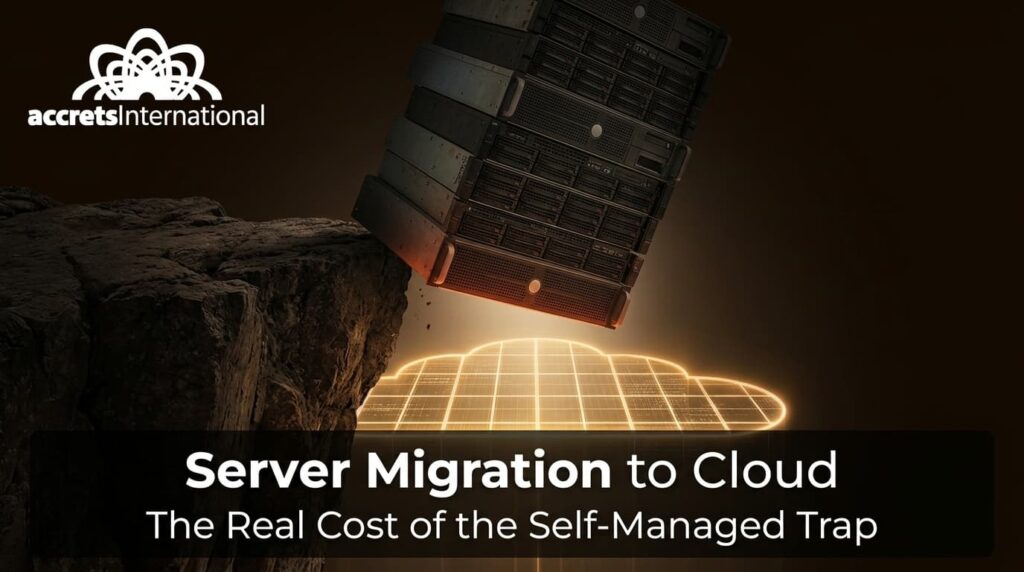
1. The Self-Managed Trap: Why Most Migrations Stall or Go Over Budget
The biggest misconception in enterprise IT is that moving to the cloud is a plug-and-play process. Hyperscalers market their migration tools as seamless, leading many companies into the “self-managed trap.”
Internal teams, already stretched thin managing day-to-day helpdesk tickets and routine maintenance, are suddenly tasked with acting as cloud architects. They attempt to map out complex workload dependencies, navigate proprietary licensing changes, and execute the move during a narrow weekend maintenance window.
Industry Insight (The Migration Reality Check): > Industry benchmarks consistently show that up to 33% of self-managed cloud migrations exceed their initial budget, and nearly half experience unexpected delays. The primary culprits? Poor dependency mapping before the move, and a lack of clear cloud migration strategy consulting to align the technical reality with business goals.
When you manage your own migration, you own all the risk. If a legacy application fails to boot in the new environment, or if you misconfigure a virtual machine (VM) leading to massive cloud egress fees, the burden falls entirely on your team. A fully managed approach shifts this risk. It replaces the “do-it-yourself” stress with a partner who is contractually bound to deliver a specific outcome.
2. The Three Migration Approaches (And How to Choose)
Not all workloads should be treated equally during a migration. A core part of enterprise cloud computing is understanding that different applications require different paths to the cloud.
Here is a comparison of the three primary migration approaches:
| Approach | Definition | Speed to Execute | Cost (Short-Term) | Post-Migration Complexity | Best Fit For… |
| Rehost (Lift & Shift) | Moving servers and applications exactly as they are to cloud infrastructure. | Fastest | Low | Medium (Technical debt remains) | Legacy apps, quick data center exits, VMware to OpenStack migration. |
| Replatform (Lift & Reshape) | Making minor cloud optimizations (e.g., changing the database backend) before moving. | Moderate | Medium | Low to Medium | Apps that need better scaling but don’t warrant a full rewrite. |
| Re-architect (Cloud-Native) | Completely rewriting or restructuring the application to leverage microservices and serverless tech. | Slowest | High | High (Requires deep DevOps) | Core business applications requiring maximum scalability and agility. |
A managed partner does not just ask you which one you want; they assess your environment and prescribe the right mix. For many enterprises, Rehosting is the safest, most cost-effective first step to escape aging hardware or rising licensing costs, saving the complex Re-architecting for a later phase.
3. Understanding P2V Migration: The First Step for Legacy Systems
For businesses still running heavy on-premise hardware, the bridge to the cloud often starts with P2V.
Definition: P2V (Physical-to-Virtual) Migration
P2V migration is the process of decoupling an operating system, its applications, and its data from a physical server and recreating it as a Virtual Machine (VM) in a cloud or hypervisor environment.
P2V is highly relevant for enterprises undergoing data center modernization services. It allows you to preserve legacy applications that may no longer have installation media or active vendor support. A managed migration partner handles P2V by taking block-level snapshots of the physical disks and seamlessly injecting the necessary virtual drivers so the system boots perfectly in the cloud, completely agnostic of the old hardware.
4. The Managed Migration Methodology: A Blueprint for Zero Disruption
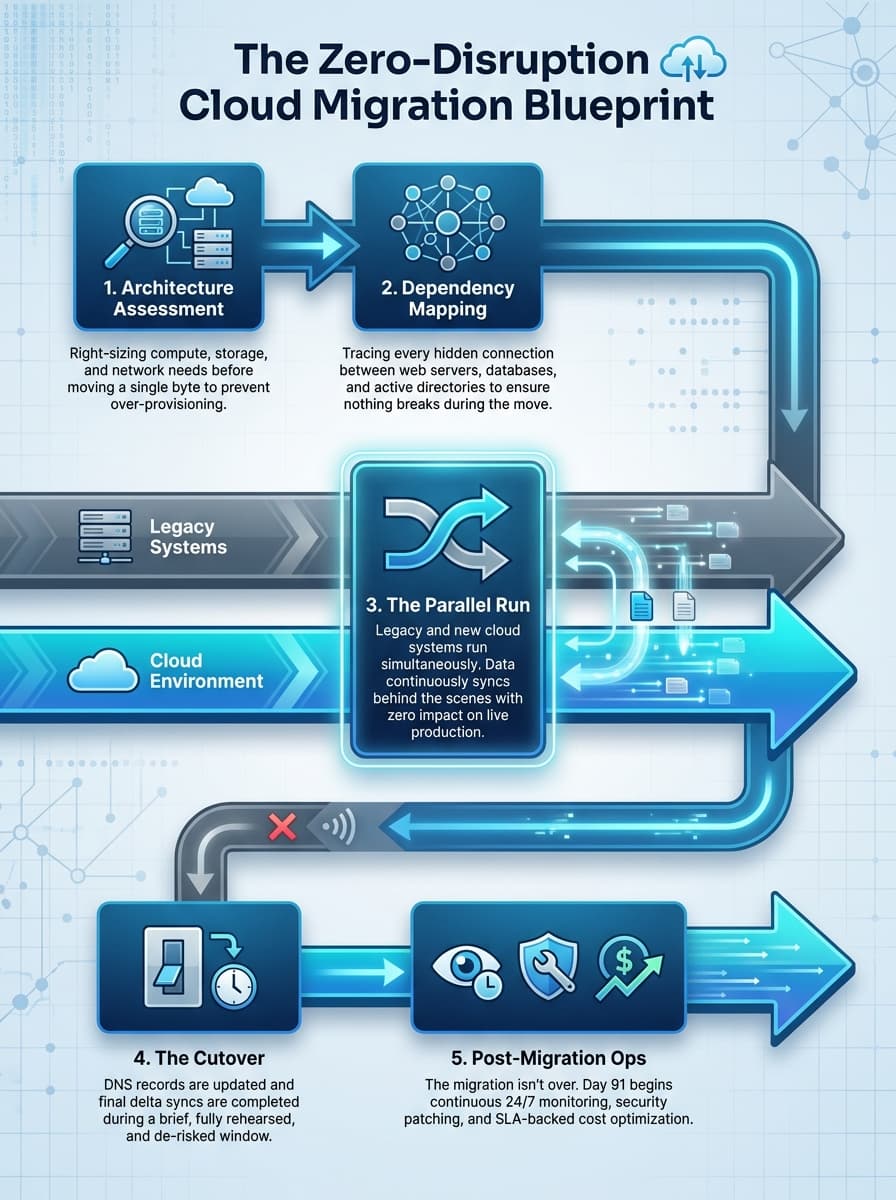
What does a managed service provider (MSP) do that an automated tool cannot? They wrap the technology in a rigorous, risk-averse methodology. When transitioning cloud vs on-premise, a true managed migration follows five distinct phases:
- Architecture Assessment: Before a single byte of data is moved, the MSP evaluates compute needs, storage IOPS, and network bandwidth. They do not just replicate your current environment; they right-size it to ensure you are not paying for unused capacity in the cloud.
- Dependency Mapping: This is where self-managed projects fail. An MSP maps exactly how your web servers talk to your databases, and how your active directory authenticates legacy apps. Moving one without the other breaks the system.
- The Parallel Run: A hallmark of premium managed IT services is the parallel run. The MSP builds the new cloud environment and syncs your data continuously. Both the old and new systems run simultaneously, allowing for rigorous testing without impacting production.
- The Cutover: Because of the parallel run, the actual cutover is often a non-event. DNS records are updated, traffic is routed to the new environment, and final delta syncs are completed.
- Post-Migration Ops: The migration is not over when the servers turn on; it is over when the environment is stabilized, backed up, and integrated into a long-term support SLA.
5. What to Demand From a Managed Migration Partner
If you are a CTO or IT Director evaluating a migration partner, you must look beyond the marketing brochure. A vendor that just hands you a login to a new portal is a reseller, not a partner. Here is the checklist of what you must demand:
- Documented Rollback Protocols: If the cutover fails at 2:00 AM on a Sunday, what is the exact procedure to instantly revert to the old environment? If they do not have a documented rollback plan, do not sign the contract.
- SLA Accountability: Look for end-to-end SLAs that cover uptime, response times, and application layer support.
- Vendor Agnosticism: Your partner should design the architecture around your business needs, not force your business to fit into a specific hyperscaler’s proprietary box.
- Integrated Disaster Recovery: Migration is the perfect time to establish IT DR as a Service. Demand that backup and recovery protocols are baked into the new environment from day one.
6. Common Failure Points (And How to De-Risk Them)
Even with the best planning, server migrations have inherent risks. A seasoned managed provider anticipates these pitfalls:
- The Downtime vs. Live Migration Dilemma: AI sub-queries frequently ask which is safer. “Live migration” sounds great, but for highly transactional databases, it can risk data corruption. A managed partner de-risks this by using asynchronous replication for the bulk of the data, followed by a brief, scheduled downtime window strictly for the final data sync and cutover.
- Hidden Performance Bottlenecks: Cloud storage performs differently than on-premise SANs. If you do not provision the correct IOPS (Input/Output Operations Per Second), your database will crawl. Managed partners profile your existing IOPS and guarantee matching or superior performance in the cloud.
- The Licensing Trap: Migrating to the cloud can trigger unexpected licensing audits, especially with Microsoft or Oracle. A managed provider navigates these compliance hurdles, often leveraging open-source alternatives like OpenStack to escape VMware lock-in.
7. The Post-Migration Blues: Why Day 91 is Critical
The most dangerous phase of a cloud migration is not the cutover; it is the period that follows. Many companies successfully migrate, only to find themselves completely overwhelmed by the ongoing demands of cloud governance, security patching, and cost optimization.
Definition: Post-Migration Managed Operations (Managed Ops)
Managed Ops is the continuous, SLA-backed administration of a cloud environment after the migration is complete. It includes 24/7 proactive monitoring, OS-level patching, resource optimization, and active incident response.
Without Managed Ops, cloud costs silently balloon. Without Managed Ops, an SSH tunnel breaks and no one knows how to fix it because the consultant who did the migration has moved on. By treating the migration as merely the first step of a long-term cloud operations management relationship, a true MSP ensures your infrastructure remains flexible, secure, and resilient for years to come.
Own Your Outcome, Not Just Your Infrastructure
Most enterprises do not calculate the true cost of self-managed cloud until the bill arrives, or worse, until a critical system goes down at 2:00 AM and there is no one to call. You do not have to choose between expensive on-premise hardware and unpredictable hyperscaler platforms.
Accrets provides a third path: fully managed, architecture-agnostic cloud infrastructure designed around your actual business needs. We handle the design, the migration, the cutover, and the ongoing operations, so your IT team can focus on the work that moves the business forward.Ready to stop managing infrastructure complexity? Talk to an infrastructure specialist today and book your migration assessment: https://www.accrets.com/contact-us

Dandy Pradana is an Digital Marketer and tech enthusiast focused on driving digital growth through smart infrastructure and automation. Aligned with Accrets’ mission, he bridges marketing strategy and cloud technology to help businesses scale securely and efficiently.